

The User Testing market has become pretty saturated over the years as awareness of the benefits of testing grows in popularity. However, a majority of the tools are either expensive or limited in what they offer to allow for testing new design mockups or prototypes. The following is a concise overview of affordable user testing options at your disposal, in no particular order.
Loop11
Loop 11 allows you to “speak to your users, record their actions, [and] uncover product changing insights”.
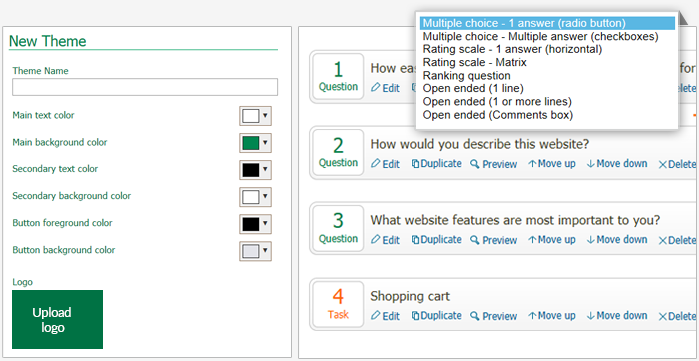
Pros:
- Works in 40 languages
- Heatmaps + Clickstream Analysis
- Reporting & Analytics
- Records user session
- Desktop + Mobile compatible
- Integrates with prototype/wireframes from Axure, Invision, etc
- Affordable
Cons:
- The affordable plan only allows you to have 10 participants per test
- You’re required to ‘BYO’ (Bring your own) participants
Price:
- Rapid Insights Plan – $69/Month
- Pro Plan – $249/Month
- Team Plan – Price Unlisted
Trial Period: Offers 14-day free trial
TryMyUI
TryMyUI provides designers and product managers the ability to record participants using their products to see what they’re thinking and where they’re getting stuck. You can bring your own participants, or they will help curate them for you.
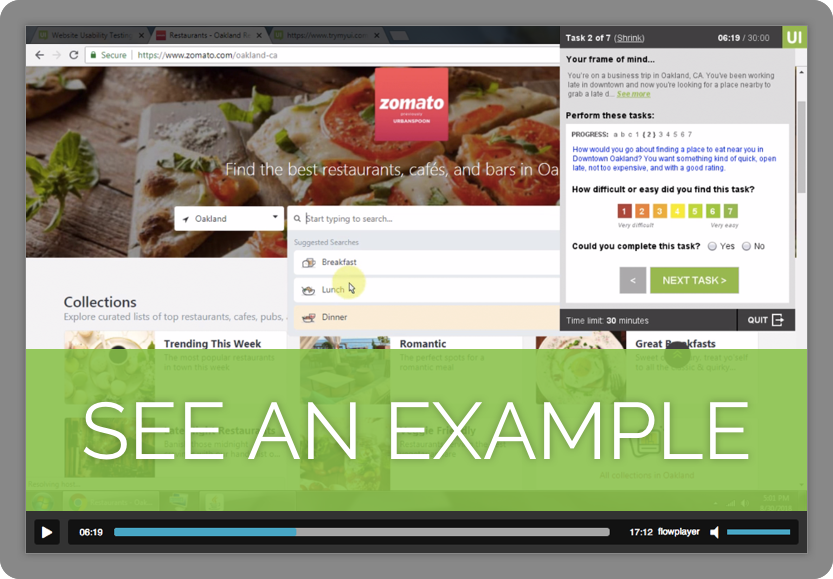
Features:
- Offers Remote, Mobile, Prototype, and Impression user testing options
- Post-Test Survey to gather participant opinions and impressions
- Select participants according to specific demographics you’ve selected
- Screener questions allow you to target participants with specific backgrounds/experiences
- You can upload non-disclosure agreements for testers to sign before they take the test
- Their UXCrowd feature offers scaled-up insights from large tester pools
- They offer out-of-the-box standardized testing solutions such as the SUS (the System Usability Scale) PSSUQ (the Post-Study System Usability Questionnaire), SUPR-Q, and more
- Download Results
Pros:
- For a fee they will select participants for you
- Offers both moderated/unmoderated options
- Wireframe/Prototype user testing options
- Screen users by specific demographics
Cons:
- It’s a little pricey
- Their UI could use an update, as it currently looks/feels outdated
Price:
- Personal – $99/Month ($1,000/Year)
- Team – $399/Month ($4,000/Year)
- Enterprise – $2,000/Month ($20,000/year)
- Unlimited – $8,000/Month ($80,000/Year)
Trial Period: 14-Day Free Trial that includes up to 5 Tests
Usability Hub
“UsabilityHub is a remote user research platform that takes the guesswork out of design decisions by validating them with real users. Test interfaces, interaction flows, iconography and more, to help you create intuitive and delightful experiences for your users.”
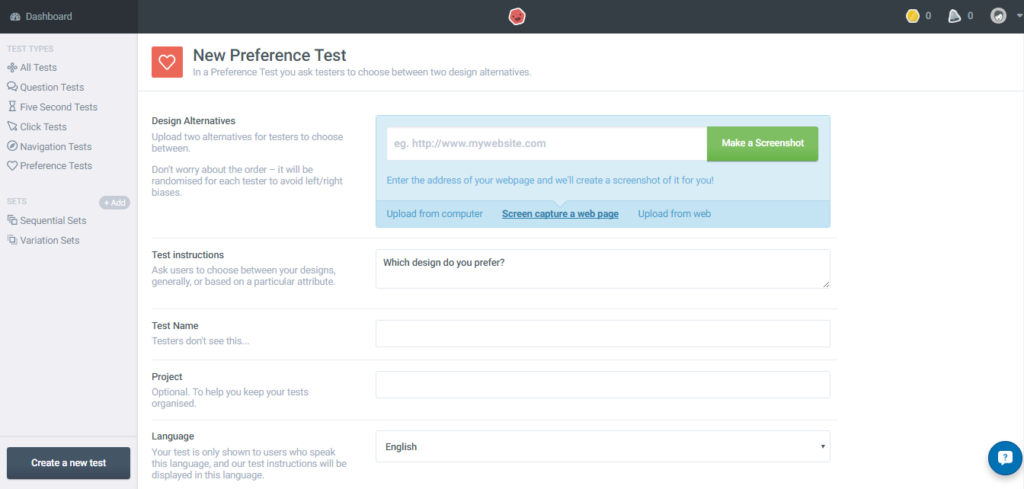
Different user testing options:
- First Click Testing
- Preference Tests (Tests visual appeal)
- Five Second Tests (measures first impressions)
- Design Surveys
Pros:
- Great layout, with the design on the left and the survey questions on right.
- Results are easy to view/share
Cons:
- It’s unclear how expensive participants will be (they only say they start at $1/participant)
Platform Price:
- Free – Unlimited Tests under 2 Minutes
- Flexible – $50 per Test
- Annual – $100/User/Month
- Enterprise – Price Unlisted
Participant Pricing:
- Short (5 Questions, 1-2 Minutes) – $2/Participant
- Medium (10 Questions, 3-4 Minutes) – $4/Participant
- Longer (15 Questions, 5-7 Minutes) – $6/Participant
Trial Period: 45-day no commitment-free trial for Annual Plan
PlaybookUX
“Watch videos of real people interacting with your product, prototype, website, concept, and more. PlaybookUX allows you to unlock powerful video-based feedback from your target audience.”
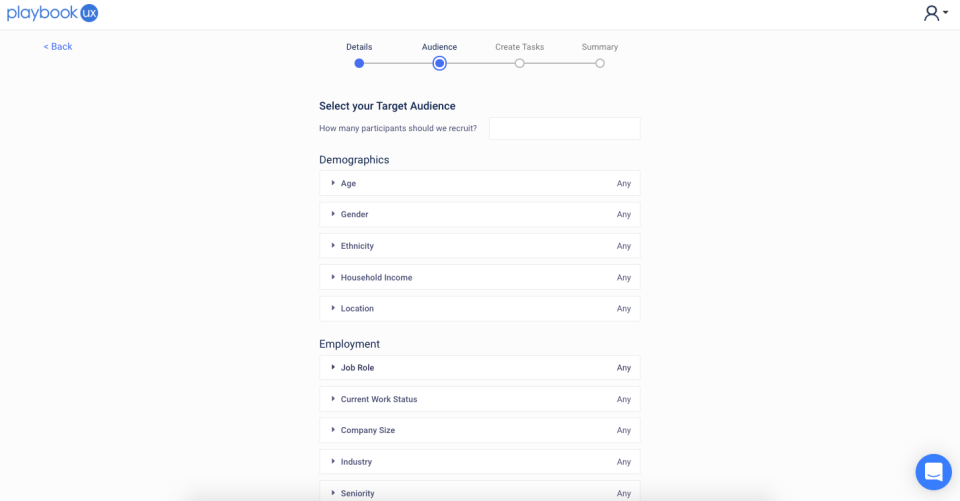
Features:
- Website, Prototype & Mobile User Experience Testing
- Moderated Interviews & Unmoderated User Experience Testing
- Bring your own participants
- Analytics for User Experience Testing
- Screening Questions
- Take Notes While Watching User Testing and Interview Sessions
Pros:
- Integrates with Axure, Invision, Adobe, & Sketch
- No limit on who you can invite to your account to view results
- Pricing is flexible, you get all features when you purchase participants through them at $49 a pop
Cons:
- $49/Participant is pricey compared to others (but the cost of the platform is baked into that which is worth considering).
Price:
- Unmoderated (15-Min Sessions) – $49/Participant
- Moderated (30-Min Sessions) – $99/Participant
- *You may bring your own participants for a fee of $250/Month ($2,750/Year)
Trial Period: 1 Month Free Trial
UserBob
“UserBob recruits users to try out your app or website. You provide a scenario for the users and give them a task to attempt to complete. While they are using your site or app, users will think out loud and record a video of their screen and their feedback. Then you can watch the videos to quickly learn what usability issues exist.”
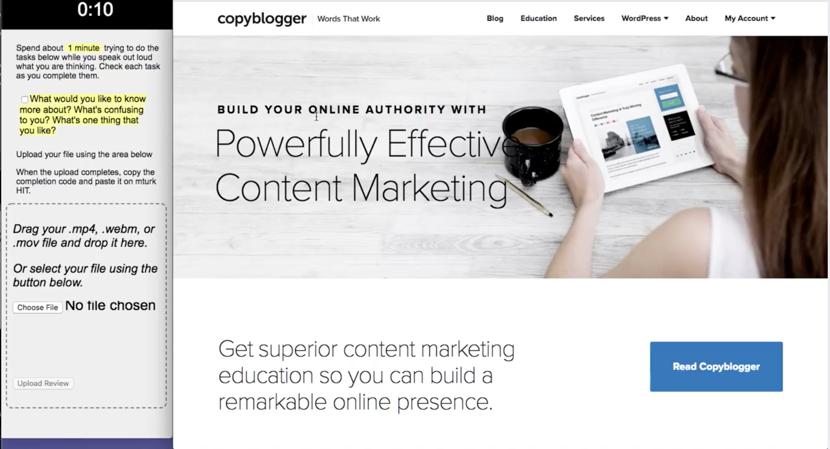
Pros:
- UserBob is very affordable
- 100% Money-back guarantee
- Targeted Demographics (but they don’t specify how users are targeted)
Cons:
- Unsure of the quality of testers/participants
- You may only share a design via a single link- which limits on what you can test.
Price:
- First Impressions (20 Participants, 1 Minute Each) – $20
- Task Completion (5 Participants, 5 Minutes Each) – $25
- Custom (Up to 20 Participants, 1-25 Minutes Each) – *Price Varies, but loosely seems to cost $1/Minute/Participant based on their estimate calculator.
**Prices also vary slightly depending on device (Web vs Android vs Apple)
Maze
“Maze is a user testing platform that turns your prototype into actionable insights from real users, bringing confidence to the design process.” They specialize in testing prototypes and work with prototype links from Figma, Marvel, Sketch, or Invision.
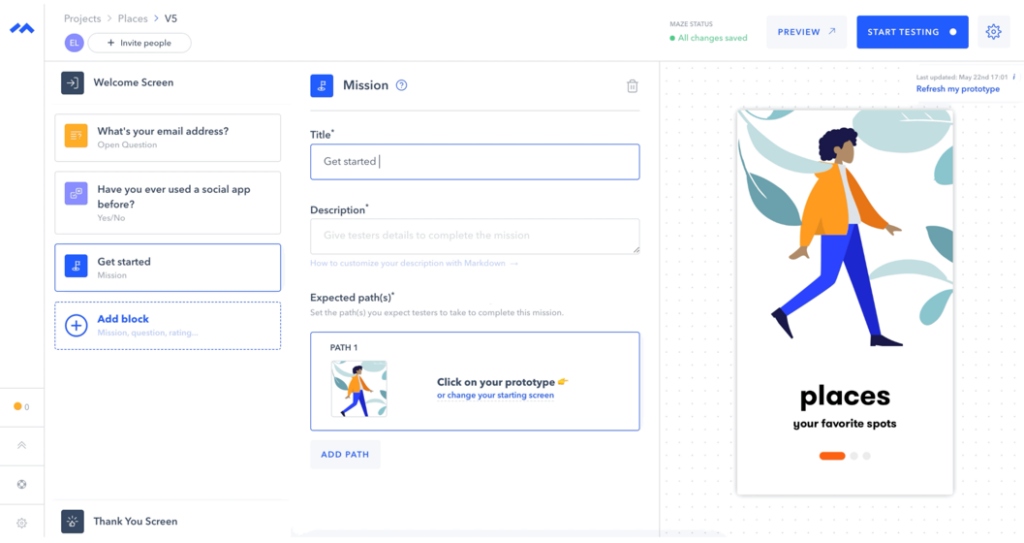
Features:
- Browser-based testing
- Multi-Device Support
- Embed Survey Questions into your test
- Customize Tests with your company logo/messaging
- Unlimited Collaborators
- Create multiple paths for user to take
- Supports Guerilla Testing (Completing multiple tests on one device)
Pros:
- Maze has one of the best UIs in the user testing world, with a clean and simple layout
- Tests are quick and easy to create and deploy (question setup reminiscent of Typeform)
Cons:
- I wish they supported more platforms such as Axure, as well as the ability to test a link to an HTML site/prototype
Price:
- Free Plan includes 1 active test at a time
- Starter – $49/Month ($504/Year)
- Team – $33/Seat/Month ($300/Seat/Year)
- Enterprise – Price Unlisted
Trial Period: 30-Day Free Trial
Maze also offers a discovery product, which allows you to create and share surveys for potential user feedback. In addition, they have recruitment options for finding participants from their panel of over 70,000 people.
Honorable Mention
These options were either too expensive or only useful for an existing website/app.
Clickheat – Offers wordpress plugin
CrazyEgg – More suitable for existing sites/apps
Qualaroo – Very Expensive
Optimizely – Primarily for A/B testing and better suited for existing sites/apps
Usabilla – Very Expensive (Prices start at $10,000/year)
Clicktale – Starts at $99/month for 20,000 page views. Better suited for existing sites/ apps.
HotJar – Starts at $89/month for 20,000 page views. Better suited for existing sites/ apps.
UserLytics – Pricing $49/participant. You give user task to complete and userlytics records them completing one task. You’re very limited on what you can ask the user to do for $49/tester.
Outsprung – $15 but I’m not sure for what. Website is unclear what you get for that price.
UserZoom – Better suited for existing sites/apps.
UserLook Recorder – Mobile only. Great, cost-effective option for mobile testing.
UX Testing – Better suited for existing sites/apps.
Userbrain – Better suited for existing sites/apps.
*Prices are accurate as of June 10th, 2020
If you’re interested in a more in-depth review of some of the platforms we’ve personally used, please Tweet or email us.
Ready to enhance your project? Contact us now for innovative solutions and personalized support.